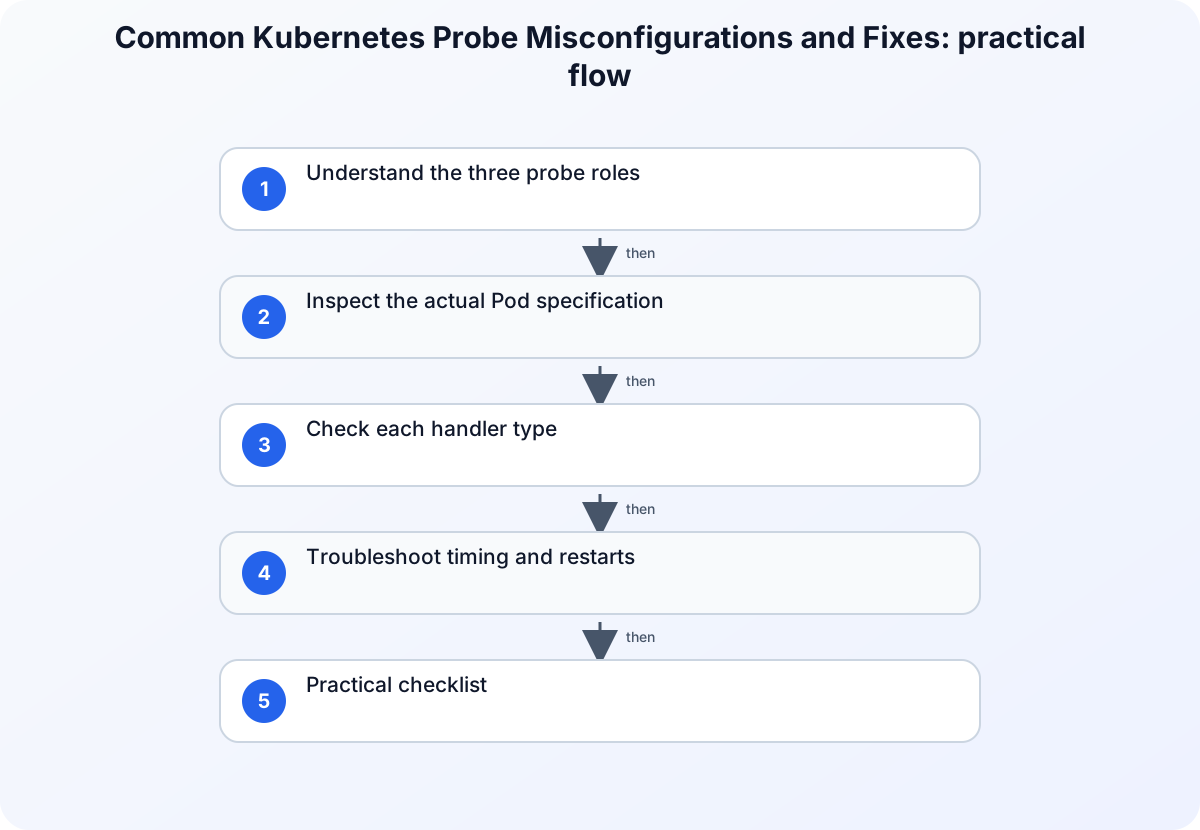
Direct answer
Kubernetes probes fail when the check does not match the application’s startup time, listening address, endpoint, or expected response. A liveness probe decides whether a container should be restarted, a readiness probe decides whether traffic should be sent, and a startup probe gives a slow-starting container time to initialize before the other checks matter. Diagnose the probe type first, then verify the command, HTTP path, port, and timing values against the running Pod.
Understand the three probe roles
The Kubernetes documentation separates liveness, readiness, and startup behavior. Liveness is for a process that is no longer healthy and may need a restart. Readiness controls whether a Pod is considered ready for service traffic; a failed readiness check does not by itself restart the container. Startup protects applications that need a long initialization period by delaying liveness and readiness evaluation until startup succeeds.
| Probe | Failed result means | Typical diagnostic question |
|---|---|---|
| Liveness | Restart may be triggered | Does the process remain alive and able to answer the health check? |
| Readiness | Pod is removed from service endpoints | Is the application ready for the dependency and traffic it receives? |
| Startup | Initialization has not completed | Does the application need more time or a different startup condition? |
Inspect the actual Pod specification
Start with the manifest applied to the cluster rather than a local template. Check the probe handler, port, path, scheme, delay, period, timeout, and failure threshold. Then read the Pod events and container logs to determine whether the check failed because the process was unavailable or because the check itself was wrong.
kubectl get pod POD_NAME -n NAMESPACE -o yaml
kubectl describe pod POD_NAME -n NAMESPACE
kubectl logs POD_NAME -n NAMESPACE --previous
Replace the uppercase values with the target Pod and namespace. These commands read the object, events, and prior container output; they do not edit the workload. Compare the port in the probe with the port where the process is actually listening inside the container.
Check each handler type
An HTTP probe needs a reachable path and the correct container port. An exec probe must use a command available in the image and return the expected exit status. A TCP probe tests whether a connection can be established; it does not prove that an HTTP endpoint is serving the correct response. A mismatch between the handler and application protocol is a common cause of repeated failures.
startupProbe:
  httpGet:
    path: /healthz
    port: 8080
  failureThreshold: 30
  periodSeconds: 10
readinessProbe:
  httpGet:
    path: /ready
    port: 8080
  periodSeconds: 10
livenessProbe:
  httpGet:
    path: /healthz
    port: 8080
  periodSeconds: 20
The values are examples, not universal defaults. Confirm that the application exposes both paths and that the port is bound inside the Pod. A startup probe with an overly small window can restart a legitimately slow application; a readiness probe with the wrong dependency check can keep a healthy process out of service.
Troubleshoot timing and restarts
If events show liveness failures during initialization, use a startup probe or increase the startup window based on measured startup time. Do not simply make every timeout large: a long liveness timeout can delay recovery, while a short readiness interval can create endpoint churn during a brief dependency outage. Measure the application, then choose values that represent the service’s real behavior.
| Symptom | Likely cause | Safe next check |
|---|---|---|
| Immediate restarts | Liveness runs before startup completes | Inspect startup duration and add or correct startupProbe |
| Pod stays NotReady | Path, port, dependency, or readiness condition is wrong | Run the endpoint check inside the container and inspect events |
| Probe connection refused | Process binds another address or port | Compare the listening socket with the manifest |
| Exec probe fails | Utility or shell is absent from the image | Run the command interactively and check its exit code |
| Intermittent failures | Timeout too short or dependency is unstable | Compare latency with timeout and inspect dependency health |
Practical checklist
- Identify which probe failed and when.
- Inspect the live Pod YAML, events, and previous logs.
- Verify handler, path, port, scheme, and image command.
- Measure startup and response time before changing thresholds.
- Use startupProbe for slow initialization and readiness for traffic eligibility.
- Roll out a small change and watch events before making another change.
For related operations guidance, see the Kubernetes workloads article and Windows Event Logs troubleshooting guide.
Preserve a measured rollout
Change one probe field at a time and watch Pod events before changing another. Record the old and new manifest, the observed startup and response times, and whether the failure affected restarts or only service endpoints. This makes a rollback straightforward and prevents a large timeout from hiding a real application failure. Keep probe paths and ports in the same configuration source as the container so a future image update cannot silently invalidate the health check.
When a probe calls an application dependency, make the dependency failure visible in the event and application logs rather than returning a generic success. A readiness check can then remove the Pod from traffic while the process remains available for diagnosis. Keep liveness focused on whether the process is functioning; using it as a dependency test can cause a restart loop that makes recovery harder.
Version and verification notes
The examples use version-neutral probe fields from the current Kubernetes documentation and Pod v1 API reference checked at publication time. Validate fields against the Kubernetes version running your cluster, because API behavior and available handlers can change across releases.
Summary
Choose the probe based on the failure decision it controls, verify the handler against the real process, and tune timing from measurements. This prevents a health check from becoming the cause of restarts or unavailable service endpoints.
Related guidance
- Troubleshooting Kubernetes RBAC with kubectl auth can-i — supporting reference.