Reliable internet connectivity depends on a combination of network infrastructure, cabling standards, and communication technologies. Whether you’re designing a home network, building enterprise infrastructure, or learning the fundamentals of networking, understanding how physical links and ISP systems work is essential. This guide covers how ISPs deliver internet, the types of connectivity available, and how twisted-pair, coaxial, and fiber-optic cables function within modern networks.
What Is the Internet? #
The Internet is a global system of interconnected networks. Millions of devices exchange data using standardized protocols such as TCP/IP. Internet communication relies on:
- Local area networks (LANs)
- Backbone networks
- Internet Service Providers (ISPs)
- Global routing and addressing systems
Although no single organization owns the Internet, standards bodies like IETF, ICANN, and RIRs coordinate addressing and protocol rules that allow every network to interoperate.
How ISPs Deliver Internet #
ISPs play a central role in connecting homes, businesses, and data centers to the wider internet.
POP (Point of Presence) #
A POP is an ISP’s access hub that allows customers to connect. It typically includes:
- Routers and high-speed switches
- Authentication servers
- Traffic control systems
- DSLAM, CMTS, or fiber OLT equipment
Your home router or modem ultimately communicates with the nearest POP.
ISP Backbone Networks #
Between POPs, ISPs use high-performance routers linked by fiber-optic connections. If a link becomes overloaded or fails, routing protocols dynamically reroute traffic to ensure continuity.
Internet Connection Types #
Different technologies offer different speeds, reliability levels, and coverage. Common connection types include:
1. DSL (Digital Subscriber Line) #
Uses telephone cables. Speeds vary depending on distance to the provider.
2. Cable Internet #
Uses coaxial cables and CMTS systems. Faster than DSL and widely available.
3. Fiber Optic Internet #
Offers the fastest speeds and highest reliability. Uses light instead of electrical signals.
4. Satellite Internet #
Ideal for rural and remote areas but suffers from high latency.
5. Wireless / Mobile Networks (4G, 5G, Fixed Wireless) #
Highly flexible, mobile, and fast depending on signal quality.
Symmetric vs. Asymmetric Connections #
Asymmetric (A-DSL, Cable) #
- Download > upload
- Suited for browsing, streaming, general use
Symmetric (Fiber, Leased Lines) #
- Upload = download
- Used by servers, cloud systems, and businesses needing high upload capacity
How Data Travels Across the Internet #
Before traveling, information is split into IP packets. These are routed hop-by-hop across multiple networks until they reach their destination.
Two essential diagnostic tools include:
- Ping – tests basic connectivity
- Traceroute – identifies the path and each router (“hop”) a packet passes through
These are commonly used to troubleshoot routing issues, delays, or outages.
Cabling in Networking #
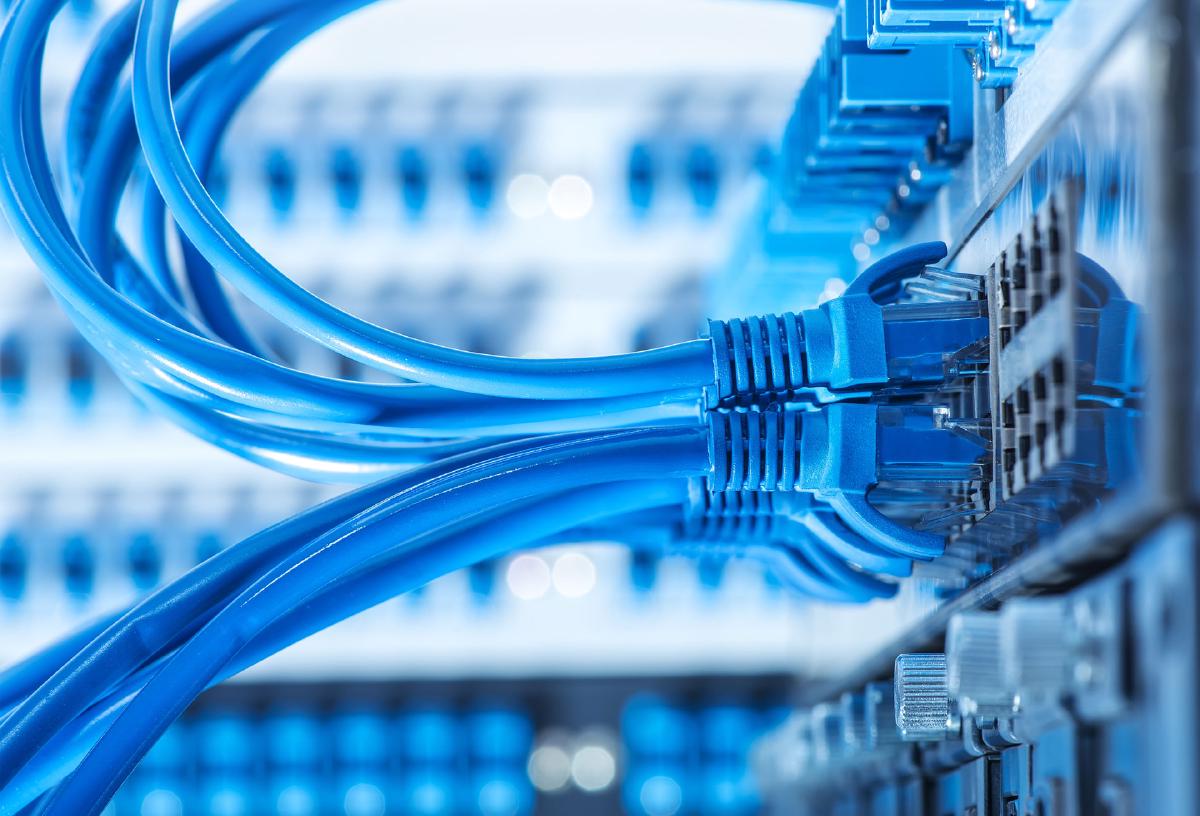
Cabling forms the physical layer foundation of any network. Today’s networks primarily use twisted-pair, coaxial, and fiber-optic cables.
1. Twisted-Pair Cables (Ethernet) #
Twisted-pair (TP) cables consist of copper wire pairs twisted together to reduce interference.
Types #
- UTP (Unshielded Twisted Pair) – standard for home and business networks
- STP/ScTP (Shielded Twisted Pair) – used where electromagnetic interference (EMI) is high
Categories #
| Category | Max Speed | Typical Use |
|---|---|---|
| CAT3 | 10 Mbps | Legacy telephony |
| CAT5 | 100 Mbps | Older LAN environments |
| CAT5e | 1 Gbps | Modern home/office networks |
| CAT6 | 1–10 Gbps | High-performance LANs |
Connector Types #
Ethernet cables terminate with an RJ-45 connector, following one of two wiring standards:
- T568A
- T568B
Cable Types #
- Straight-through – connects different devices (PC → switch)
- Crossover – connects similar devices (switch → switch, PC → PC)
Modern switches and NICs often support Auto-MDI/MDIX, eliminating manual crossover needs.
2. Coaxial Cables #
Coaxial cables provide strong shielding and are commonly used for:
- Cable TV
- Cable internet (modems)
- Satellite communication
- RF signaling
While formerly used in LANs, coax has largely been replaced by UTP due to lower cost and easier installation.
3. Fiber-Optic Cables #
Fiber-optic cables use pulses of light to transmit data, offering:
- Immunity to electromagnetic interference
- Extremely high bandwidth
- Very long transmission distances
Types #
-
Single-Mode Fiber (SMF)
- Long distances
- Laser light source
- Used for backbone infrastructure
-
Multi-Mode Fiber (MMF)
- Shorter distances
- LED light source
- Common in buildings and campuses
Fiber is essential for ISP backbones, data centers, and enterprise networks requiring high performance.
Structured Cabling Best Practices #
To ensure reliable, scalable networks, structured cabling standards should be followed:
- Follow ANSI/TIA-568 guidelines
- Respect maximum cable lengths
- Keep cables away from EMI sources
- Label cables clearly
- Use patch panels for organization
- Avoid excessive untwisting of pairs
- Test cables after termination
Cable Testing Tools #
Basic Cable Tester #
Checks for:
- Shorts
- Opens
- Incorrect wiring
- Reversed or mis-paired lines
Certification Tools #
Measure:
- Crosstalk (NEXT/FEXT)
- Attenuation
- Signal quality
Issues typically arise from poor termination, excessive pair untwisting, damaged cables, or exceeding length limits.
Summary #
Internet connectivity relies on a complex ecosystem involving:
- ISP infrastructures and POP networks
- Connection technologies (DSL, cable, fiber, wireless)
- Routers and backbone systems
- Physical cabling (UTP, coaxial, fiber)
- Proper installation and testing procedures
Understanding how connectivity and cabling work together is essential for designing reliable networks, troubleshooting issues, and maintaining stable communication systems.