Direct answer
A container that cannot see expected data may be using a different volume name, mount destination, daemon context, driver, read-only mode, or an anonymous volume created by an earlier command. Inspect the effective container and volume objects before rebuilding, pruning, copying data, or changing ownership, because those actions can hide the original mount mapping or remove recoverable data. Start with evidence already available to the operator and use the referenced documentation to verify the behavior of the component in scope.
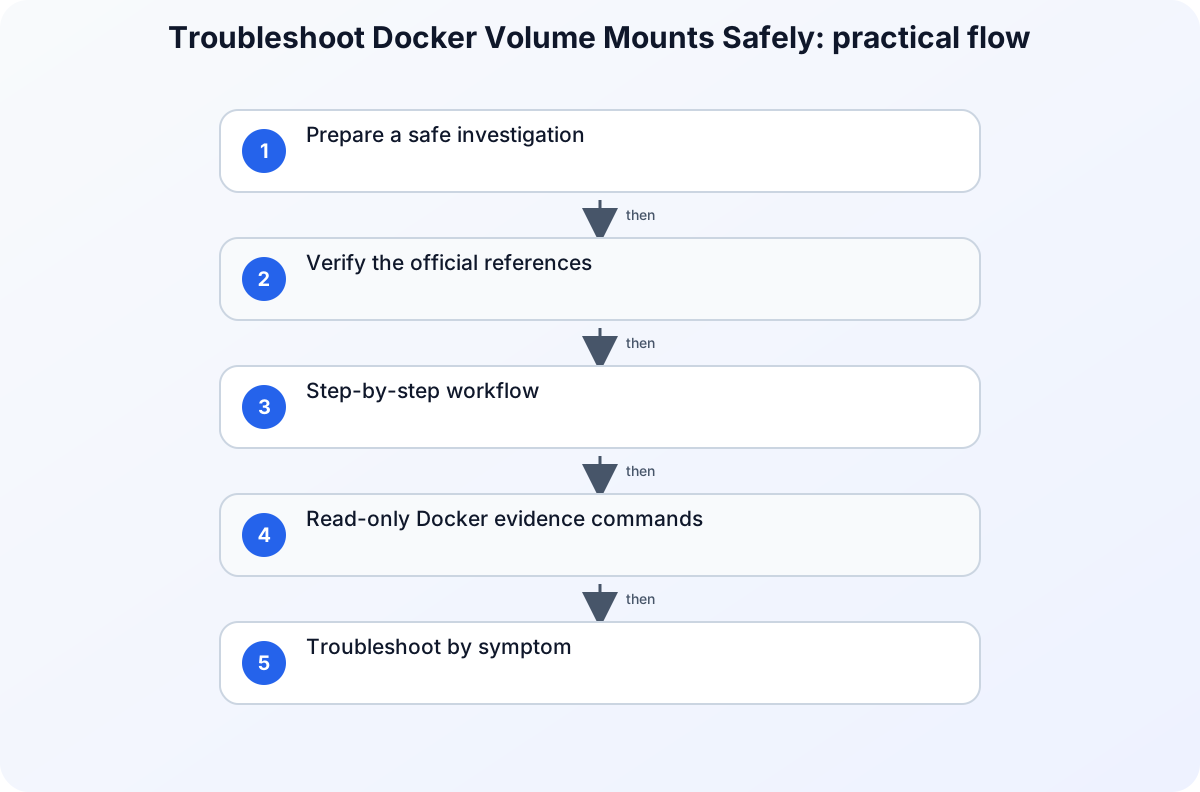
Prepare a safe investigation
Record the daemon context, container name and ID, image reference, deployment command or Compose project, expected in-container path, expected volume name, first failure time, and whether the container is running. Keep the initial inspect output and do not run volume prune, remove the container, or write test data into an unidentified mount. Before changing policy, access, networking, or application settings, capture a small reproducible record of the failure. Include the affected identity, workload, tenant or environment, time zone, correlation identifier when available, and the action that produced the result. Mask secrets and personal data in any ticket or shared export. A narrow record is safer to review and lets another administrator test the same hypothesis without repeating a disruptive change.
Verify the official references
Docker volumes
Use Docker volumes to verify this specific part of the investigation: Use the Docker volumes guide for volume lifecycle, mount syntax, read-only behavior, population, backup, and removal semantics. Match the field names, permissions, and interface labels for Docker volumes before changing the affected service.
docker inspect
Use docker inspect to verify this specific part of the investigation: Use docker inspect for low-level container and volume information and type-qualified inspection. Match the field names, permissions, and interface labels for docker inspect before changing the affected service.
docker volume ls
Use docker volume ls to verify this specific part of the investigation: Use docker volume ls for documented inventory, filters, driver, labels, and formatted read-only output. Match the field names, permissions, and interface labels for docker volume ls before changing the affected service.
Step-by-step workflow
For each step, record the timestamp, affected actor or workload, exact result, and evidence scope before moving on. This keeps the investigation reproducible without repeating the same warning after every action.
1. Confirm the storage type and intended lifecycle
Identify whether the workload expects a managed volume, bind mount, or temporary filesystem and compare that choice with the deployment definition. Keep named and anonymous volumes distinct, and note whether the mount should be read-only or read-write.
2. Inspect the effective container mount
Read the container Mounts structure and capture the type, source or volume name, destination, driver, mode, propagation, and read-write flag. Compare the effective object with the deployment definition rather than assuming the last command created this container.
3. Verify the volume in the correct daemon inventory
List volumes in the active daemon context and narrow by the expected name, label, or driver. An absent name may indicate another context, a Compose-prefixed name, an anonymous volume, or a deployment that never created the expected object.
Read-only Docker evidence commands
Set the container and expected volume names explicitly, then collect the daemon context, effective mount mapping, and matching volume inventory without recreating or pruning anything:
CONTAINER_NAME='example-app'
VOLUME_NAME='example-data'

docker context show
docker inspect --type container "$CONTAINER_NAME" --format '{{json .Mounts}}'
docker volume ls --filter "name=$VOLUME_NAME"
docker inspect --type volume "$VOLUME_NAME"
In the container output, compare Type, Name or Source, Destination, Driver, and RW with the deployment definition. In the volume output, confirm that the driver, mount point, labels, and daemon context describe the volume you intended to inspect. Replace the example names; do not infer identity from a similar prefix.
Troubleshoot by symptom
Use the observed result to choose the next check instead of changing several controls at once. The following table is a decision aid, not a list of automatic fixes. Confirm the product-specific behavior in the cited documentation before applying a remediation.
| Symptom | Likely boundary | Next safe check |
|---|---|---|
| The expected directory is empty inside a new container | Different volume identity, destination, context, or obscured image data | Compare the effective Mounts entry and volume identity with the deployment definition. |
| Writes fail with a read-only error | Read-only mount mode, container filesystem policy, or application path mismatch | Inspect the mount read-write flag and exact destination before changing host permissions. |
| A volume exists but is not attached to this container | Name prefix, anonymous volume, recreated container, or wrong daemon context | Match the container Mounts name with the filtered volume inventory in the same context. |
Common mistakes to avoid
Do not treat an isolated success as proof that the underlying configuration is correct. Different users, applications, devices, networks, and token states can follow different paths. Do not remove a security control merely to make one test pass; first identify the exact condition that produced the failure and verify whether a narrower, approved adjustment exists. Avoid copying commands, policy values, or portal labels from old runbooks without checking the current official reference.
Keep the investigation read-only until the evidence identifies a change boundary. If a temporary exception is approved, define who authorized it, when it expires, how it will be monitored, and how the original state will be restored. A reversible experiment is useful; an undocumented workaround creates a second incident to diagnose later.
Practical checklist
- Capture daemon context, container, image, deployment definition, expected path, volume name, and failure time.
- Identify whether the intended storage is a volume, bind mount, or temporary filesystem.
- Inspect the effective container Mounts structure before recreating the container.
- Verify the exact volume name, driver, labels, and daemon inventory.
- Back up identified data and apply one reviewed mount change without pruning unrelated volumes.
Preserve the result and follow up
After the immediate issue is understood, record the conclusion in language that separates facts, inferences, and remaining unknowns. Attach only the necessary evidence and link the relevant official reference rather than pasting a long, unversioned screenshot. If the same pattern returns, compare the new record with the earlier timestamp, scope, and configuration state before making another change. This turns a one-off troubleshooting session into a dependable operating procedure.
For related background, see Troubleshoot Docker Container Health Checks and Operating AI/ML Workloads on Kubernetes: A Headlamp Plugin for Kubeflow and Common Kubernetes Probe Misconfigurations and Fixes. These internal articles provide context, but the cited official documents remain the source of truth for the configuration or diagnostic details in this workflow.
Version and verification notes
This article is based on the official sources listed for this topic and was checked at publication time. Cloud services, identity behavior, product labels, and administrative interfaces can change. Recheck the cited documentation before automating a command, relying on a default, or applying the same procedure to a different tenant, subscription, cluster, or operating-system release.
Summary
Start with a small evidence record, use the documented diagnostic path for the affected service, and make one reversible change only after the evidence supports it. That approach protects availability and security while producing a clear handoff for the next operator.